
Quick Answer
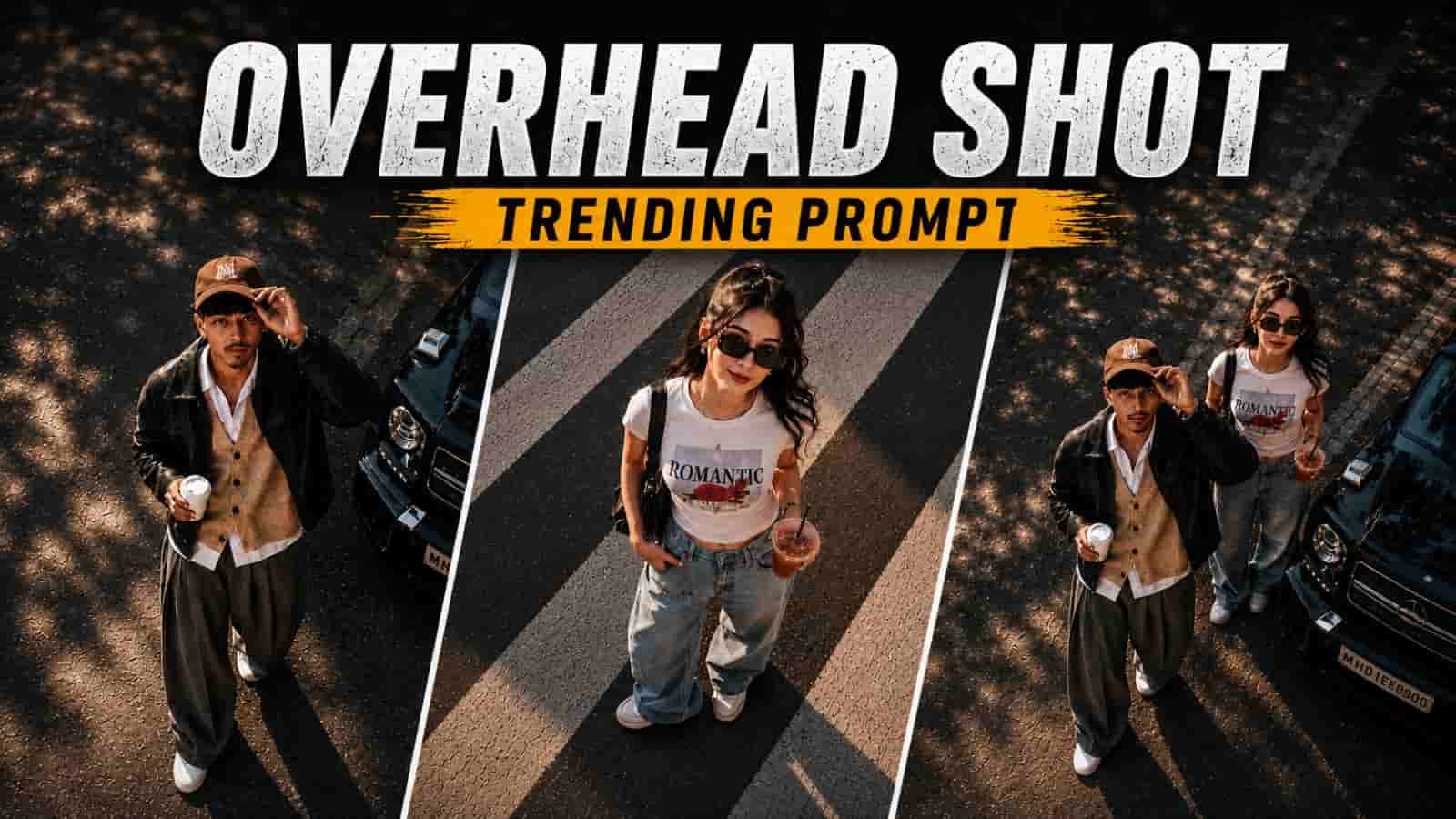
Cinematic Overhead Shot AI Photo Editing is an AI-powered editing style that transforms ordinary portraits into dramatic bird’s-eye-view images. Using detailed ChatGPT prompts, AI image generators create realistic lighting, cinematic shadows, professional colour grading, and storytelling compositions that resemble scenes from movies.
Table of Contents
- Introduction
- What Is Cinematic Overhead Shot AI Photo Editing?
- Why This Editing Style Is Trending
- Benefits of Cinematic Overhead Photography
- Best AI Tools Compared
- How AI Creates Overhead Shot Effects
- Step-by-Step Guide
- Best Practices Before Using Any Prompt
- Prompt Sections (Part 2)
- Expert Tips (Part 2)
- FAQs (Part 2)
Introduction
Artificial intelligence has transformed digital photography, and one of the biggest visual trends in 2026 is Cinematic Overhead Shot AI Photo Editing. Unlike traditional portraits captured at eye level, overhead photography places the virtual camera directly above the subject, creating dramatic compositions that instantly capture attention on Instagram, Pinterest, Facebook, and YouTube Shorts.
This editing style combines storytelling with premium cinematic aesthetics. A simple portrait can become a movie-inspired scene featuring realistic shadows, luxury cars, coffee cups, pedestrian crossings, city streets, minimalist architecture, or moody urban landscapes. Instead of expensive drones or professional camera equipment, AI image generators can now recreate these top-down perspectives within minutes.
The secret behind realistic overhead images is not the AI tool alone but the quality of the prompt. A detailed prompt tells the AI how to position the camera, control lighting, preserve facial identity, create natural shadows, and balance the composition. The result is an image that feels intentional, immersive, and visually striking.
This guide explains how cinematic overhead shot prompts work, why they have become one of the fastest-growing AI photography trends, which AI tools deliver the best results, and how you can consistently create professional-looking overhead portraits.
What Is Cinematic Overhead Shot AI Photo Editing?
Cinematic Overhead Shot AI Photo Editing is a creative AI photography technique that simulates a bird’s-eye-view camera angle. Instead of photographing a subject from the front, the AI creates the illusion that the camera is positioned directly above. This perspective emphasizes composition, symmetry, shadows, and environmental storytelling.
A strong prompt describes the camera angle, surrounding objects, clothing, lighting, colour grading, background, mood, and image quality. Combined with a high-resolution source image, these instructions help the AI generate realistic overhead compositions suitable for social media, branding, or digital artwork.
Why This Editing Style Is Trending
Overhead photography naturally attracts attention because it offers a fresh perspective that viewers don’t see every day. AI has made this style accessible to everyone, eliminating the need for drones, cranes, or advanced editing skills.
Creators use cinematic overhead portraits for Instagram Reels covers, Pinterest inspiration, YouTube thumbnails, fashion portfolios, lifestyle photography, travel content, and personal branding. Their dramatic storytelling and premium aesthetic often encourage higher engagement than standard portraits.
Benefits of Cinematic Overhead Photography
Unique Perspective
Bird’s-eye compositions instantly stand out in crowded social feeds.
Professional Look
Movie-style colour grading and lighting create premium visuals.
Budget Friendly
Achieve cinematic results without expensive camera equipment.
Creative Freedom
Experiment with streets, cafés, rooftops, luxury cars, or nature scenes.
Beginner Friendly
Modern AI tools simplify complex editing into a prompt-based workflow.
Best AI Tools Compared
| Tool | Best For | Free | Quality |
| ChatGPT Images | Realistic overhead portraits | Yes | ★★★★★ |
| Google Gemini | Balanced colours | Yes | ★★★★☆ |
| Leonardo.ai | Cinematic scenes | Limited | ★★★★★ |
| Midjourney | Creative concepts | Paid | ★★★★★ |
| Flux AI | Photorealism | Limited | ★★★★★ |
How AI Creates Overhead Shot Effects
AI image generators understand perspective, lighting, depth, and composition through advanced image models. By describing a bird’s-eye-view camera angle, realistic shadows, directional lighting, surrounding objects, and environmental details, the AI predicts how the scene should appear from above. Including instructions such as ‘preserve facial identity’, ‘cinematic colour grading’, and ‘soft natural shadows’ improves realism and consistency.
Step-by-Step Guide
- Choose a clear, high-resolution portrait.
- Select an AI image generator.
- Use a detailed overhead shot prompt.
- Specify the top-down camera angle.
- Describe lighting, props, and surroundings.
- Generate multiple versions and refine small details.
- Upscale the final image before sharing.
Best Practices Before Using Any Prompt
Use recent, high-quality photos with the subject clearly visible. Keep clothing simple unless a fashion-focused look is desired, and avoid heavily filtered images. Decide on the story you want the image to tell before writing the prompt. Consistent lighting, realistic shadows, and balanced compositions produce the most convincing cinematic overhead photographs.
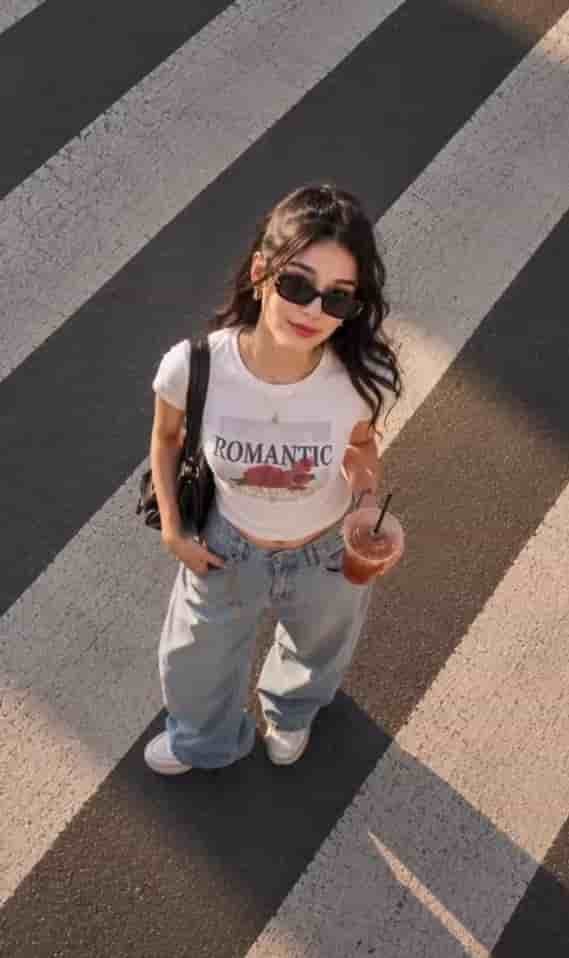
Prompt 1 – Urban Crosswalk Cinematic Overhead Shot
Why this prompt works:
This prompt creates a dramatic bird’s-eye-view portrait overlooking a busy city crosswalk. The combination of geometric road markings, realistic traffic movement, cinematic lighting, and balanced colour grading creates a modern movie-like atmosphere. Asking the AI to preserve facial identity while maintaining realistic proportions helps produce an image that feels authentic rather than artificially generated.
Customization Tips:
Replace the crosswalk with a rooftop, city square, railway platform, shopping street, or luxury hotel entrance. You can also adjust the time of day from golden hour to blue hour or nighttime for a completely different cinematic mood.
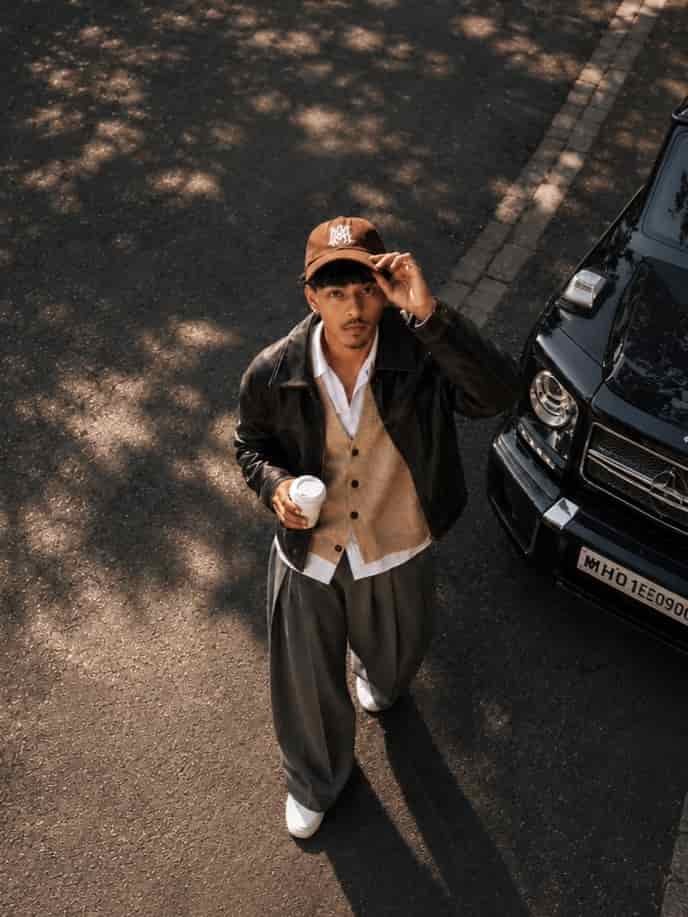
Prompt 2 – Luxury Lifestyle Overhead Portrait
Why this prompt works:
Luxury lifestyle photography works exceptionally well with overhead compositions because surrounding objects help tell a story. Coffee cups, books, luxury cars, designer bags, modern architecture, and stylish clothing create a premium editorial look without making the scene feel overcrowded.
Customization Tips:
Experiment with different props such as bicycles, cafés, travel luggage, flowers, newspapers, or modern office spaces. Keep the composition clean so the subject remains the primary focus.
How to Customize Cinematic Overhead Prompts
The strongest AI prompts are flexible. Instead of rewriting everything, modify one creative element at a time. You can easily change the location, weather, outfit, props, camera height, colour palette, lighting direction, or mood while preserving the overall structure of the prompt.
For example, replacing a city street with a mountain viewpoint or changing daytime lighting to evening street lights creates an entirely new visual style without affecting the realism of the composition. Small prompt refinements usually produce more reliable results than making several major changes simultaneously.
Expert Tips for Professional-Looking Results
- Use high-resolution source photos with natural facial expressions.
- Describe the camera angle as directly overhead or bird’s-eye view.
- Request realistic shadows and balanced lighting.
- Keep surrounding objects relevant to the story.
- Generate three to five variations before choosing the final image.
- Use subtle cinematic colour grading rather than oversaturated colours.
- Preserve natural skin texture for realistic portraits.
- Upscale the final image before publishing on social media.
Common Mistakes to Avoid
Using Low-Quality Source Photos
Blurry or compressed images reduce realism and facial accuracy.
Writing Generic Prompts
Specific scene descriptions consistently outperform vague instructions.
Adding Too Many Props
Overcrowded scenes distract attention from the subject.
Ignoring Lighting
Lighting determines much of the cinematic atmosphere.
Changing Too Many Variables
Modify only one or two prompt elements when refining results.
Troubleshooting Guide
| Problem | Solution |
| Camera angle doesn’t look overhead | Specify a true bird’s-eye-view perspective. |
| Face looks different | Ask the AI to preserve the exact facial identity. |
| Scene feels flat | Add realistic shadows and directional lighting. |
| Colours appear unrealistic | Use cinematic colour grading with natural contrast. |
| Composition feels crowded | Reduce props and simplify the environment. |
Frequently Asked Questions
What is Cinematic Overhead Shot AI Photo Editing?
It is an AI editing style that creates dramatic bird’s-eye-view portraits with cinematic lighting and professional composition.
Which AI tool is best?
ChatGPT Images, Leonardo AI, and FLUX are excellent choices for realistic overhead photography.
Can I edit an existing selfie?
Yes. Upload a clear portrait and use a detailed overhead prompt.
Can beginners use these prompts?
Absolutely. Modern AI tools make cinematic editing accessible to everyone.
How can I improve realism?
Use HD source images, realistic lighting, and facial preservation instructions.
Can I change the location?
Yes. You can replace streets with cafés, rooftops, beaches, parks, or forests.
Do longer prompts work better?
Clear and descriptive prompts usually provide more consistent results.
Can I use these photos on Instagram?
Yes, provided you comply with your AI platform’s terms of use.
Why does AI change my face?
Low-quality photos or missing facial-preservation instructions can cause facial inconsistencies.
How many images should I generate?
Generate at least three to five versions before choosing the best result.
Can I create night scenes?
Yes. Evening city lights create particularly cinematic overhead compositions.
Which image format should I use?
PNG or high-quality JPEG files are recommended.
What are the most common mistakes?
Blurry images, vague prompts, unrealistic lighting, and cluttered scenes.
Can I create fashion editorials?
Yes. Overhead photography works exceptionally well for fashion-inspired portraits.
How do I write my own overhead prompt?
Describe the camera angle, subject, lighting, props, background, mood, and desired image quality in detail.
Related Articles
- Rainy Atmosphere Photo Editing Prompts
- Realistic Beautiful Portrait Collage Prompt for Girls
- Trending Couple AI Photo Editing Prompts
- Viral Nainital Travel AI Photo Editing
- Luxury Frame Birthday Poster AI Photo Editing
- New Viral Aesthetic DP Editing Prompt
- How to Turn Travel Photos into Cinematic Foggy Masterpieces Using AI
Conclusion
Cinematic Overhead Shot AI Photo Editing is one of the most creative ways to transform ordinary portraits into visually compelling images. With the right AI tool, carefully written prompts, and high-quality source photos, you can create dramatic bird’s-eye-view compositions that look professionally photographed. Use the three premium prompts as a foundation, customize them to match your personal style, and continue experimenting with lighting, environments, and storytelling to produce unique AI-generated artwork.
Author
Written by Priyesh Kumar
Priyesh creates practical AI prompt guides, SEO-focused tutorials, and image generation resources that help readers create high-quality AI visuals while following modern content and search optimization best practices.