
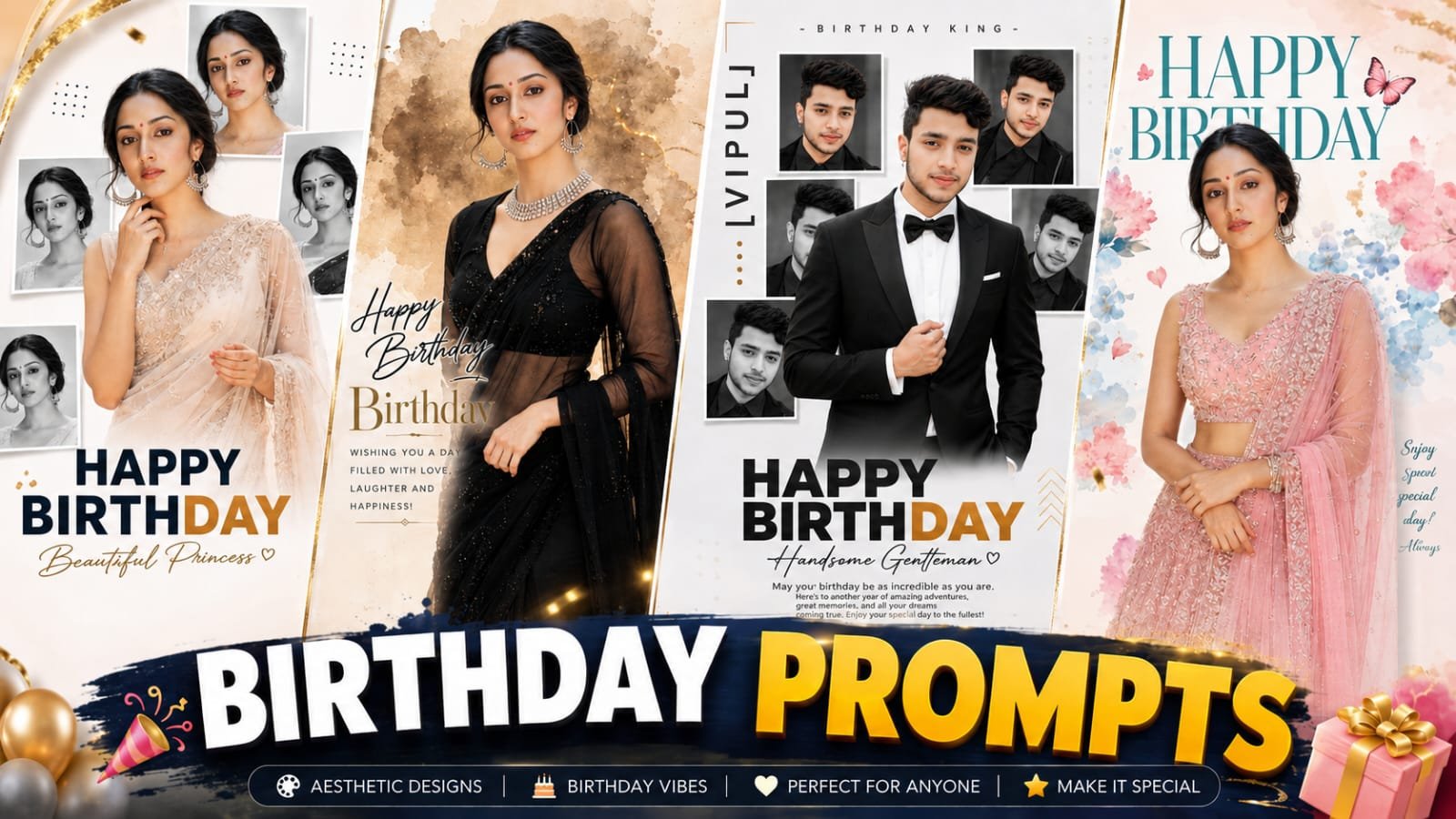
Luxury Frame Birthday Poster AI Photo Editing is one of the biggest AI photo editing trends in 2026. People are creating premium birthday posters with just one photo and a detailed AI prompt. The final result looks like it was designed by a professional graphic designer, but honestly, it only takes a few minutes.
You don’t need Photoshop or advanced editing skills anymore. Just upload your photo, paste the right AI prompt into your favorite AI image generator, and let the tool do the work. Within moments, you’ll get a stylish birthday poster with elegant frames, luxury decorations, cinematic lighting, and a premium editorial look.
In this guide, you’ll learn why this trend is becoming so popular, its benefits, the best AI prompts to use, and how you can create your own luxury birthday poster step by step.
What Is Luxury Frame Birthday Poster AI Photo Editing?
Luxury Frame Birthday Poster AI Photo Editing is an AI-powered editing style that transforms an ordinary photo into a premium birthday poster. Instead of spending hours editing, AI creates everything automatically.
The poster may include:
- Luxury golden or decorative frames
- Elegant birthday typography
- Balloons and flowers
- Cinematic lighting
- Stylish backgrounds
- Editorial magazine-style design
- High-resolution portrait effects
The best part is that beginners can create professional-looking birthday posters without any editing experience.
Why Is Luxury Birthday AI Editing Going Viral?
This trend is everywhere because people love sharing unique birthday photos on social media. A normal selfie often gets ignored. However, a premium birthday poster immediately catches attention.
AI tools make the entire process simple. You only need a clear photo and a detailed prompt. The AI handles the lighting, colors, background, decorations, and overall design automatically.
That’s exactly why thousands of creators are now using AI to design birthday posters for themselves, friends, and family members.
Some of the biggest reasons behind its popularity include:
- Fast photo editing
- No professional skills required
- Premium-looking results
- Perfect for Instagram, Facebook, and WhatsApp
- Easy customization
- Saves both time and money
Benefits of Luxury Frame Birthday AI Editing
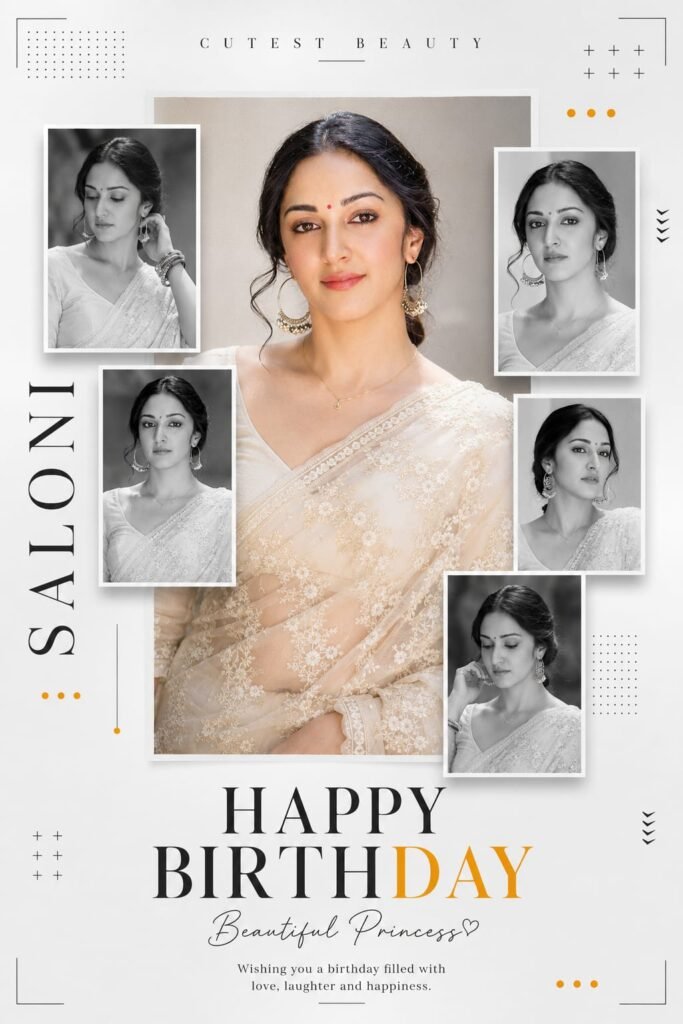
✨ Create Premium Minimalist Birthday Poster Prompt
Create a premium minimalist birthday poster in 3:4 ratio featuring the uploaded woman as the main subject. Place one large color portrait in the center wearing an elegant ivory embroidered saree with a natural smile.

Surround it with five black-and-white framed portraits in a modern magazine collage layout.

Use a clean white background with subtle gradients, dotted patterns, crosses, thin corner lines, arrows, and orange accent dots.

Add "CUTEST BEAUTY" at the top with wide letter spacing.

Add "SALONI" vertically on the left.

Place bold "HAPPY BIRTHDAY" at the bottom with "DAY" in golden orange.

Write "Beautiful Princess♡" in elegant handwritten script below.

Include the message:

"Wishing you a birthday filled with love, laughter and happiness."

Lighting:
Soft studio lighting

Camera:
Sony A1
85mm Lens
f/2
HDR

Style:
Ultra Realistic 8K
Luxury Editorial
Photorealistic Skin
Highly Detailed Embroidery
Crisp Typography

Negative Prompt:

blurry,
watermark,
logo,
bad anatomy,
extra fingers,
text errors,
oversaturated,
cartoon,
anime,
CGI
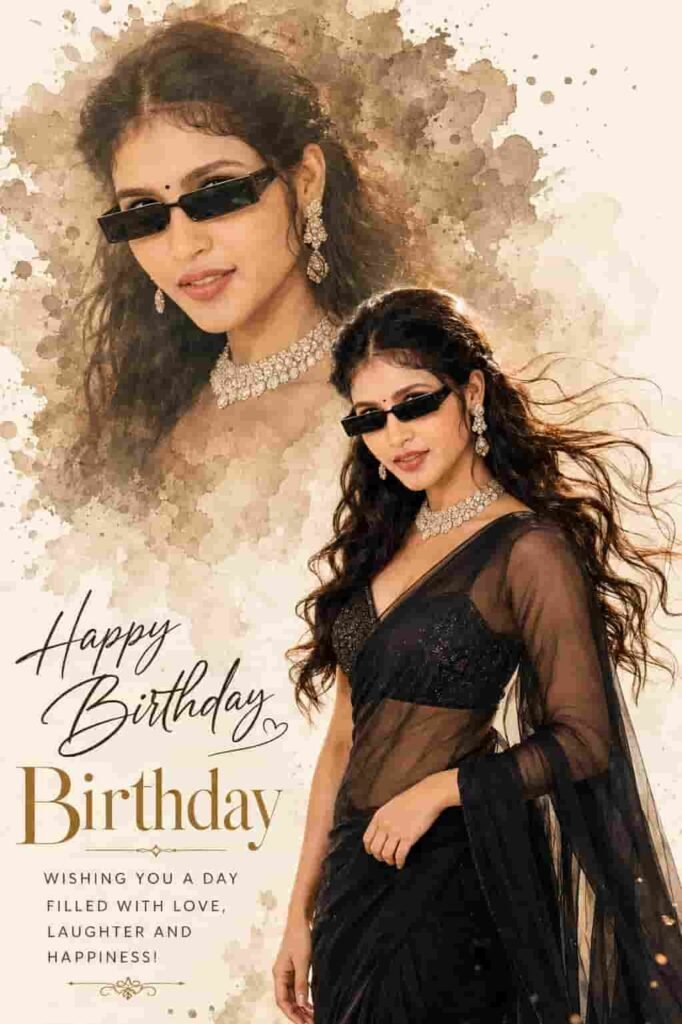
✨ Luxury Editorial Birthday Poster AI Prompt
Create a 3:4 Ultra HD (4096×5461) hyper-realistic luxury editorial birthday poster using my uploaded face with 100% identity preservation (face, skin tone, hairstyle, facial features, and proportions unchanged).

Design a clean ivory-white watercolor paper background with a large sepia watercolor splash, ink textures, soft beige smoke, and a warm vignette.

Add a large semi-transparent watercolor portrait in the upper-left wearing slim black sunglasses.

Place the main full-body portrait in the lower-right, standing naturally at a 30° angle with a soft smile.

Dress the subject in a luxury black transparent chiffon saree with a black embroidered bralette blouse, flowing drapes, long wavy wind-blown hair, slim black sunglasses, a diamond choker, and matching earrings.

Use elegant typography:

"Happy Birthday" in luxury handwritten script.

"Birthday" in a large elegant serif font.

"WISHING YOU A DAY FILLED WITH LOVE, LAUGHTER AND HAPPINESS!" in a minimal sans-serif font.

Lighting:
Golden-hour lighting
Warm rim light
Soft beauty lighting
Cinematic shadows
Warm luxury editorial color grading

Camera:
Canon EOS R5
85mm f/1.2 Lens
f/1.8
Shallow Depth of Field

Rendering:
Octane Render
Unreal Engine 5
Ray Tracing
Global Illumination
Natural Skin Pores
Detailed Hair Strands
Premium Photoshop Quality
Ultra Photorealistic Output

Negative Prompt:

Different face,
Wrong hairstyle,
Straight hair,
Front pose,
Plastic skin,
Extra fingers,
Extra hands,
Extra arms,
Bad anatomy,
Cropped body,
Poor draping,
Low quality,
Blurry,
Watermark,
Logo,
Text artifacts,
AI artifacts,
Cartoon,
Anime,
Oversaturated colors.
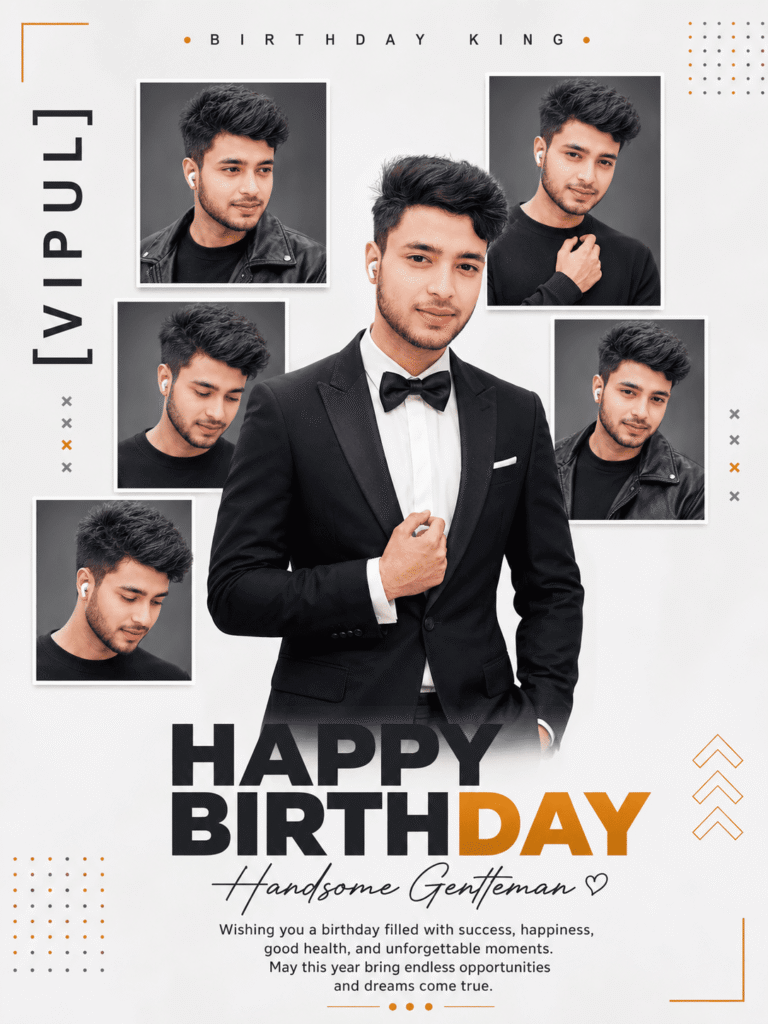
✨ Luxury Birthday King AI Prompt
Create a premium minimalist birthday poster in a 3:4 ratio featuring the uploaded man as the main subject.

Place one large color portrait in the center wearing a tailored black tuxedo with a white shirt and black bow tie (or an elegant black suit), looking confidently at the camera with a natural smile.

Surround the main portrait with five black-and-white framed portraits in a modern luxury magazine collage layout featuring different expressions and angles.

Use a clean white background with subtle gradients, dotted patterns, minimalist crosses, thin corner lines, stylish arrows, and golden-orange accent dots.

Typography:

"BIRTHDAY KING" at the top with wide letter spacing.

"[NAME]" vertically on the left.

"HAPPY BIRTHDAY" at the bottom with "DAY" in luxurious golden orange.

"Handsome Gentleman ♡" in elegant handwritten script below.

Birthday Message:

"Wishing you a birthday filled with success, happiness, good health, and unforgettable moments. May this year bring endless opportunities and dreams come true."

Lighting:

• Soft Luxury Studio Lighting

• Premium Editorial Shadows

Camera:

• Sony A1

• 85mm Lens

• f/2

• HDR

Style:

• Ultra-Realistic 8K

• Luxury Fashion Editorial

• Premium Magazine Cover Aesthetic

• Crisp Modern Typography

• Photorealistic Skin

• Highly Detailed Tailored Suit Fabric

• Sharp Focus

• Balanced Composition

• Clean Luxury Design

Negative Prompt:

Different face,
Wrong hairstyle,
Extra fingers,
Extra hands,
Extra arms,
Bad anatomy,
Plastic skin,
Low quality,
Blurry,
Watermark,
Logo,
Text artifacts,
AI artifacts,
Oversaturated colors,
Cartoon,
Anime,
CGI.
There are many reasons why people prefer AI over traditional editing software.
| Feature | Traditional Editing | AI Birthday Editing |
| Editing Time | 2–5 Hours | 2–5 Minutes |
| Skill Required | High | Beginner Friendly |
| Cost | Expensive | Mostly Free |
| Quality | Professional | Professional |
| Easy to Customize | Moderate | Very Easy |
Whether you’re creating a birthday surprise or updating your social media profile, AI makes everything much easier.
What Makes These Birthday Posters Look Premium?
Several design elements work together to create a luxury appearance.
These include:
- Elegant typography
- Luxury color grading
- Soft beauty lighting
- Golden hour effects
- Fashion magazine layouts
- Decorative frames
- Realistic skin texture
- Professional camera effects
When combined, these small details create a birthday poster that feels expensive and professionally designed.
Best AI Tools for Birthday Poster Editing
Many AI image generators now support detailed prompts.
Some popular options include:
- ChatGPT Image Generator
- Google Gemini
- Grok AI
- Midjourney
- Flux AI
- Ideogram AI
- Leonardo AI
Each platform offers different styles, so don’t hesitate to experiment and find the one you like most.
How to Create a Luxury Birthday Poster with AI
Creating your own birthday poster is much easier than most people think.
Simply follow these steps:
- Choose a high-quality portrait.
- Open your preferred AI image generator.
- Copy a detailed birthday poster prompt.
- Upload your image.
- Paste the prompt.
- Generate the image.
- Download the final poster.
That’s it. Your premium birthday poster is ready in just a few minutes.
Tips for Better AI Results
If you want even better output, keep these simple tips in mind.
- Upload a clear HD image.
- Use good lighting in your original photo.
- Avoid blurry pictures.
- Choose detailed prompts.
- Generate multiple versions.
- Pick the best result.
Small improvements often make a huge difference.
Why People Love AI Birthday Posters
AI birthday posters aren’t just beautiful. They also create memorable moments.
Many people now use them for:
- Birthday wishes
- Instagram posts
- WhatsApp status
- Facebook covers
- Greeting cards
- Birthday invitations
- Printed photo frames
They look unique and feel much more personal than regular birthday edits.
Final Thoughts
Luxury Frame Birthday Poster AI Photo Editing has completely changed how people celebrate birthdays online. Instead of spending hours editing photos, anyone can now create stunning birthday posters with the help of AI.
All you need is a good-quality photo, a detailed AI prompt, and a reliable AI image generator. Within minutes, you’ll have a professional-looking birthday design that’s ready to share on social media or print as a keepsake.
If you enjoy experimenting with AI creativity, this trend is definitely worth trying. It saves time, delivers amazing results, and makes every birthday feel a little more special.
Frequently Asked Questions (FAQs)
1. What is Luxury Frame Birthday Poster AI Photo Editing?
Luxury Frame Birthday Poster AI Photo Editing is an AI-based editing style that transforms a normal photo into a premium birthday poster. It adds luxury frames, cinematic lighting, elegant typography, flowers, balloons, and stylish backgrounds automatically.
2. Which AI tool is best for creating birthday posters?
Some of the most popular AI tools include ChatGPT Image Generator, Google Gemini, Midjourney, Flux AI, Leonardo AI, and Ideogram AI. Each tool offers unique styles, so you can choose the one that matches your preference
3. Do I need Photoshop to create AI birthday posters?
No. That’s the biggest advantage of AI editing. You don’t need Photoshop or any professional editing skills. Simply upload your photo, paste the AI prompt, and generate your birthday poster.