
Quick Answer
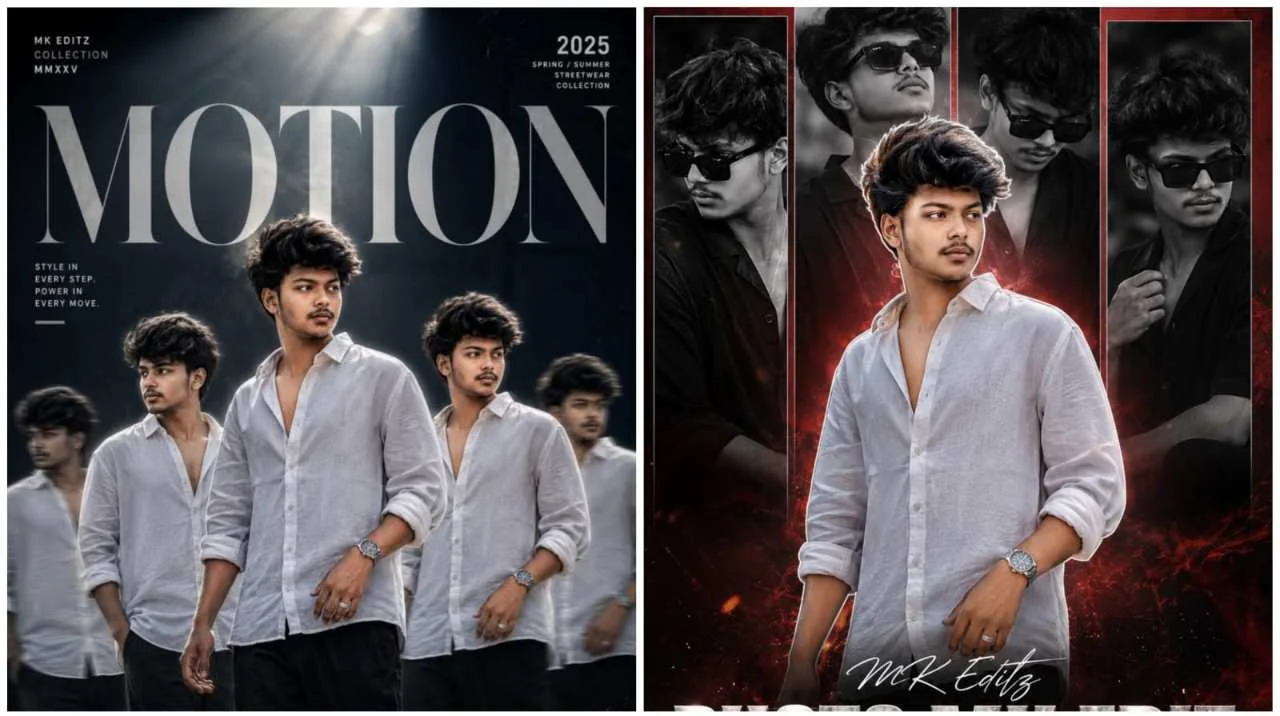
Trending Motion Prompts for Cinematic AI Photo Editing are detailed AI instructions that help ChatGPT and other AI image generators create images that look full of movement and cinematic storytelling. By describing realistic motion, lighting, camera angles, and environmental effects, AI can transform an ordinary portrait into a dramatic movie-like scene featuring motion blur, flowing clothes, dynamic poses, and immersive backgrounds.
Table of Contents
- Introduction
- What Are Motion Prompts for AI Photo Editing?
- Why Motion-Based AI Photos Are Trending
- Benefits of Motion AI Photography
- Best AI Image Generators Compared
- How AI Creates Realistic Motion Effects
- Types of Cinematic Motion Effects You Can Create
- Step-by-Step Guide
- Best Practices Before Using Any Prompt
- Prompt Sections (Part 2)
- Expert Tips (Part 2)
- FAQs (Part 2)
Introduction
Artificial intelligence has completely transformed the way people create digital artwork and cinematic photography. In 2026, one of the biggest trends dominating Instagram, Pinterest, Facebook, and YouTube Shorts is Motion-Based AI Photo Editing. Instead of generating ordinary static portraits, AI now creates images that appear alive, capturing movement, emotion, and storytelling within a single frame.
Unlike traditional photo editing, motion prompts allow AI to simulate natural movement without requiring expensive cameras or professional photography equipment. Whether it’s a person walking confidently through a rainy city street, standing dramatically in strong winds, running across a mountain trail, or riding a motorcycle on an empty highway, AI can generate scenes that resemble still frames from a high-budget movie.
This trend has become especially popular among influencers, photographers, travel creators, fashion enthusiasts, and digital artists because motion immediately attracts attention. Human eyes naturally focus on scenes that suggest action, making cinematic AI photos more engaging than traditional portraits. These images often receive better engagement on social media because they feel dynamic, emotional, and visually immersive.
However, simply asking AI to “make the photo cinematic” rarely produces impressive results. The real difference lies in the quality of the prompt. A carefully written motion prompt tells the AI exactly how the subject should move, where the light should come from, how clothing and hair should react to the environment, what camera angle should be used, and how the background should contribute to the overall story.
In this complete guide, you’ll learn how cinematic motion prompts work, why they have become one of the fastest-growing AI photography trends, which AI tools produce the most realistic results, and how to create professional-quality cinematic images using carefully crafted prompts. By the end of this guide, you’ll understand how to create stunning AI photos that look like scenes from Hollywood films instead of ordinary edited portraits.
What Are Motion Prompts for AI Photo Editing?
Motion prompts are detailed text instructions that tell an AI image generator how to create the illusion of movement within a still photograph. Instead of describing only the subject, these prompts explain how the environment, lighting, clothing, camera perspective, and body posture should work together to create a realistic cinematic scene.
Think of a motion prompt as giving directions to a professional movie director rather than a simple photo editor. You’re telling the AI not only what should appear in the image but also how it should feel.
A high-quality motion prompt usually includes:
- Subject movement
- Camera angle
- Body posture
- Hair movement
- Clothing movement
- Weather conditions
- Lighting direction
- Motion blur
- Background environment
- Color grading
- Mood
- Overall image quality
For example, instead of writing:
“Standing on the road”
A better prompt would describe:
“A confident young man walking across a rain-soaked city street during blue hour, captured from a low cinematic camera angle with soft motion blur, wet road reflections, dramatic clouds, realistic lighting, natural skin texture, wind-blown jacket, and professional movie-style color grading.”
The second prompt gives AI enough visual information to create a far more immersive and realistic image.
Why Motion-Based AI Photos Are Trending
Motion photography has always been a favorite among professional photographers because movement naturally creates emotion. Artificial intelligence has now made this style available to everyone, even without expensive cameras, drones, or editing software.
Several factors have contributed to the popularity of cinematic motion AI photos.
They Capture Attention Quickly
Moving scenes naturally stand out more than static portraits. Whether someone is running, walking, riding, or simply standing in strong wind, viewers are more likely to stop scrolling and engage with the image.
Perfect for Social Media
Motion-inspired AI photos are widely used for:
- Instagram Posts
- Instagram Reels Covers
- Pinterest Pins
- Facebook Posts
- YouTube Thumbnails
- WhatsApp Profile Pictures
- Personal Branding
- Photography Portfolios
Professional Look
Dynamic lighting, realistic shadows, environmental effects, and storytelling compositions give these images the appearance of professionally photographed movie scenes.
Endless Creativity
AI allows creators to imagine scenes that would normally require expensive locations, weather conditions, or specialized equipment.
Popular examples include:
- Running in heavy rain
- Walking through Tokyo streets
- Desert adventures
- Mountain trekking
- Luxury sports cars
- Flying dresses
- Windy beach scenes
- Snowfall portraits
- Motorcycle rides
- Action movie-inspired scenes
Benefits of Motion AI Photography
1. Stronger Storytelling
Every cinematic image tells a story. Motion naturally encourages viewers to imagine what happened before and after the captured moment.
2. More Professional Results
Realistic lighting, camera angles, shadows, and movement produce images that closely resemble movie stills or premium fashion campaigns.
3. No Expensive Equipment Needed
Instead of hiring photographers, drones, or videographers, you only need a clear source photo and a detailed AI prompt.
4. Unlimited Creative Possibilities
AI allows you to experiment with different locations, weather conditions, clothing styles, camera angles, and cinematic themes without leaving your home.
5. Perfect for Content Creators
Motion AI photography works exceptionally well for:
- Instagram Creators
- Fashion Influencers
- Travel Bloggers
- Digital Artists
- YouTubers
- Freelance Designers
- Personal Branding
Best AI Image Generators Compared
| AI Tool | Best For | Free Version | Overall Quality |
|---|---|---|---|
| ChatGPT Images | Cinematic realistic portraits | ✅ Yes | ⭐⭐⭐⭐⭐ |
| Google Gemini | Natural colors and lighting | ✅ Yes | ⭐⭐⭐⭐☆ |
| Leonardo.ai | Movie-style compositions | Limited | ⭐⭐⭐⭐⭐ |
| Midjourney | Artistic cinematic visuals | Paid | ⭐⭐⭐⭐⭐ |
| Flux AI | Ultra-realistic motion effects | Limited | ⭐⭐⭐⭐⭐ |
Each AI platform has different strengths. ChatGPT Images is excellent for realistic people and balanced compositions, while Leonardo AI and Midjourney are popular for dramatic cinematic scenes. FLUX excels at generating highly detailed photorealistic images with convincing lighting and textures.
How AI Creates Realistic Motion Effects
Modern AI image generators analyze your prompt to understand how movement should affect every part of the scene. Instead of adding random blur, the AI predicts how clothing, hair, shadows, reflections, weather, and background elements should react to the subject’s movement.
For example:
- Wind affects hair and clothing.
- Rain creates reflections on roads.
- Running changes body posture.
- Fast movement introduces natural motion blur.
- Sunset changes shadow direction.
- Fog softens distant backgrounds.
The AI combines these visual relationships to produce an image that feels natural rather than artificially edited.
Including instructions such as:
- Preserve exact facial identity
- Natural body posture
- Soft cinematic lighting
- Realistic motion blur
- Dynamic environmental interaction
- HDR quality
- Ultra-realistic textures
helps the AI produce significantly better results.
Types of Cinematic Motion Effects You Can Create
Motion prompts are highly flexible and can be adapted to different creative styles. Some of the most popular motion effects include:
- Walking through city streets
- Running in the rain
- Wind-blown fashion portraits
- Riding motorcycles
- Driving luxury cars
- Dancing with flowing outfits
- Mountain trekking adventures
- Beach sunset walks
- Snowfall action scenes
- Sports action photography
- Flying fabric effects
- Slow-motion cinematic portraits
- Urban street photography
- Airport travel scenes
- Festival celebration moments
Each style creates a different mood, allowing you to tailor your AI-generated images to your personal aesthetic or social media goals.
Step-by-Step Guide
Creating cinematic AI motion photos is straightforward when you follow a structured process:
- Choose a high-resolution source photo with a clearly visible face.
- Select an AI image generator such as ChatGPT Images, Leonardo AI, or FLUX.
- Copy and paste a detailed cinematic motion prompt.
- Clearly describe the movement you want (walking, running, riding, etc.).
- Add details about lighting, weather, and camera angle.
- Generate several variations instead of relying on the first output.
- Refine one or two prompt elements if needed.
- Upscale the final image before downloading or posting on social media.
Best Practices Before Using Any Prompt
Even the most detailed prompt cannot fully compensate for a poor-quality source image. Choosing the right photo before generating AI artwork significantly improves the final result.
For the best cinematic images:
- Use recent, high-resolution photos.
- Ensure your face is clearly visible.
- Avoid heavy beauty filters.
- Use natural lighting whenever possible.
- Keep clothing visible for realistic movement simulation.
- Mention realistic facial preservation in every prompt.
- Generate multiple variations before choosing your favorite.
- Upscale the final image before sharing online.
A small investment of time in selecting the right source photo and writing a clear prompt will often produce results that look dramatically more realistic than generic AI edits.
Prompt 1 – Cinematic Running in the Rain
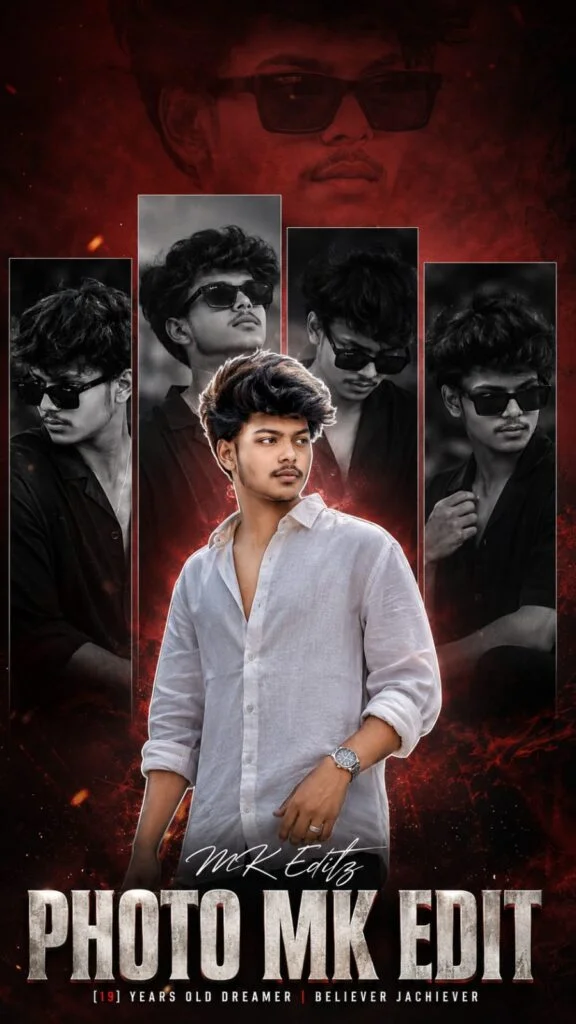
Why This Prompt Works
This prompt is designed to create an action-packed cinematic portrait that captures movement naturally. Instead of generating a static pose, it instructs the AI to show the subject running through a rain-soaked city while interacting with the environment. Elements such as realistic rain droplets, wet asphalt reflections, directional lighting, and subtle motion blur help create the illusion of speed without making the image appear unrealistic.
Professional movie scenes often rely on environmental storytelling rather than dramatic filters. That’s why this prompt encourages natural skin texture, balanced color grading, and believable lighting instead of excessive visual effects. The AI also preserves facial identity while adding realistic clothing movement and hair flow, making the final portrait look authentic.
This style works exceptionally well for Instagram Reels covers, YouTube thumbnails, wallpapers, and cinematic portfolio images because it immediately captures attention.
Customization Tips
You can customize this prompt by replacing the city street with:
- A rainy village road
- A railway platform
- A mountain highway
- A European street
- A forest trail
- A beach during heavy rain
Changing only the location while keeping the same cinematic lighting helps maintain realism and creates unique variations.
Prompt 2 – Wind-Blown Cinematic Fashion Portrait
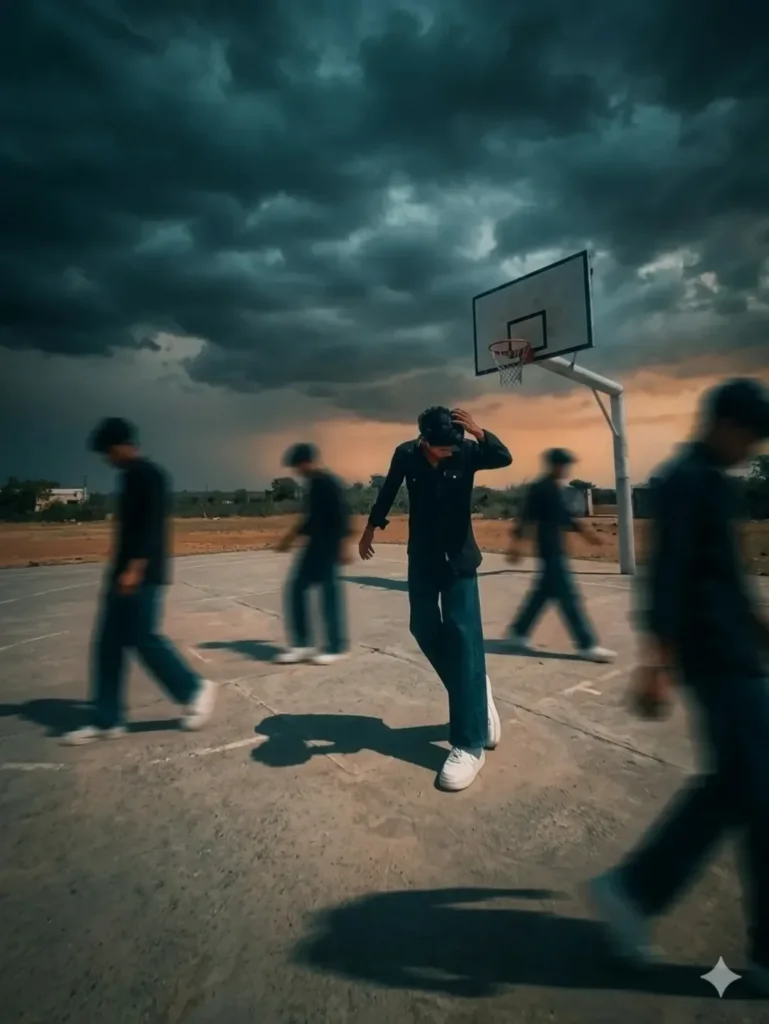
Why This Prompt Works
Fashion photography is one of the most popular applications of cinematic AI prompts because movement naturally enhances clothing, hair, and body posture. This prompt instructs the AI to simulate strong wind interacting with the subject while maintaining realistic proportions and natural expressions.
Instead of relying on exaggerated effects, the AI focuses on subtle environmental interaction. Flowing jackets, gently moving hair, soft sunlight, dramatic skies, and shallow depth of field work together to produce an elegant editorial-style portrait that resembles a luxury fashion campaign.
Adding environmental details such as city architecture, open roads, rooftops, or modern buildings further strengthens the storytelling aspect of the image.
Because the subject remains the primary focus, this prompt is ideal for influencers, personal branding, portfolio photography, and premium social media posts.
Customization Tips
You can easily modify this prompt by changing:
- Clothing style
- Weather conditions
- Camera height
- Time of day
- Background
- Accessories
- Color palette
Small adjustments create completely different visual styles without affecting the quality of the composition.
Prompt 3 – Cinematic Motorcycle Action Portrait
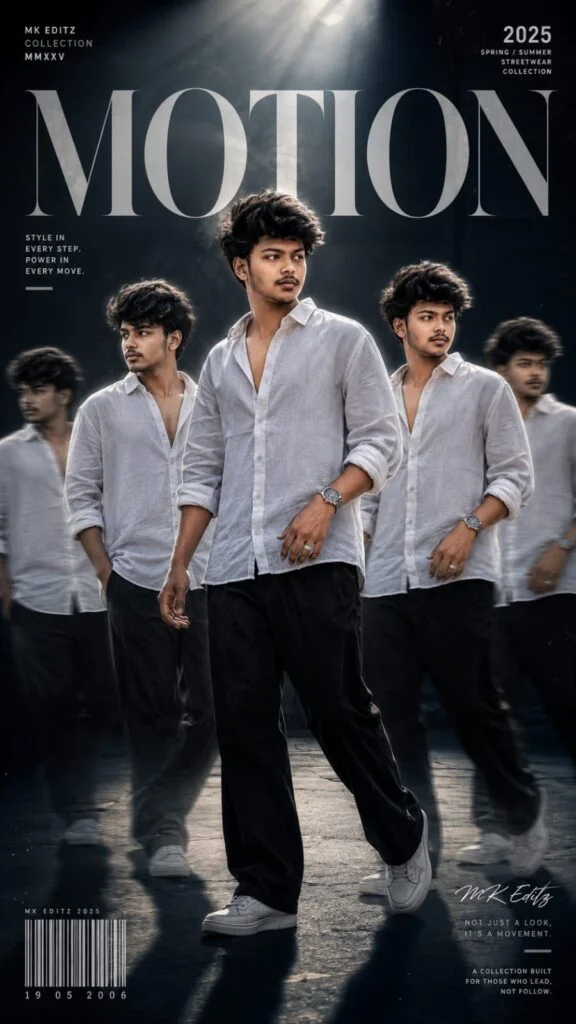
Why This Prompt Works
Action scenes generate some of the highest engagement on social media because they create excitement and movement within a single image. This prompt combines realistic motorcycle riding, cinematic lighting, dynamic camera angles, road reflections, atmospheric haze, and natural motion blur to create a powerful storytelling composition.
Rather than focusing only on the motorcycle, the AI carefully balances the subject, background, lighting, and surrounding environment to create an image that feels like a scene from an action movie.
Maintaining realistic body posture, helmet details (if applicable), clothing folds, and environmental reflections significantly improves the final output.
This style is particularly effective for automotive creators, travel influencers, adventure photographers, and lifestyle content.
Customization Tips
You can replace the motorcycle with:
- Bicycle
- Sports car
- Jeep
- Horse
- Scooter
- Snowmobile
- Surfboard
- Skateboard
The overall cinematic composition remains equally effective regardless of the chosen vehicle or activity.
How to Customize Motion Prompts for Better Results
One of the biggest advantages of AI-generated motion photography is flexibility. Instead of writing an entirely new prompt every time, modify only a few important elements while keeping the overall structure intact.
The easiest settings to customize include:
- Weather
- Location
- Clothing
- Lighting
- Camera angle
- Time of day
- Motion intensity
- Background
- Color grading
- Mood
For example, replacing a rainy street with a snowy mountain instantly creates a completely different cinematic atmosphere while preserving the same composition.
Likewise, changing “golden hour” to “blue hour” transforms the emotional tone of the image without requiring a brand-new prompt.
Expert Tips for Professional AI Motion Photography
Professional-looking AI images often depend on subtle details rather than dramatic effects.
For consistently realistic results:
- Upload high-resolution source photos.
- Keep facial expressions natural.
- Ask AI to preserve the exact facial identity.
- Use cinematic lighting instead of excessive HDR.
- Describe realistic environmental interaction.
- Mention natural body posture.
- Use shallow depth of field where appropriate.
- Generate at least five variations before choosing the final image.
- Upscale the final image before posting.
- Save successful prompts for future customization.
Common Mistakes to Avoid
Using Low-Quality Photos
Blurry images make it difficult for AI to preserve facial details and produce realistic motion effects.
Writing Generic Prompts
Simple instructions like “make it cinematic” rarely provide enough information. Instead, describe movement, lighting, background, weather, and mood.
Overloading the Prompt
Adding too many conflicting styles often confuses the AI and reduces image quality.
Ignoring Lighting
Lighting determines much of the cinematic atmosphere. Be specific about whether you want golden hour, blue hour, overcast skies, neon lights, or sunset.
Expecting Perfect Results Immediately
The best images often come after refining a prompt through several generations rather than relying on the first output.
Troubleshooting Guide
| Problem | Recommended Solution |
|---|---|
| Motion looks unrealistic | Use subtle motion blur instead of extreme effects. |
| Face changes too much | Add “preserve exact facial identity” to the prompt. |
| Clothing looks unnatural | Describe realistic fabric movement and wind direction. |
| Background feels cluttered | Simplify the environment and reduce unnecessary objects. |
| Image lacks cinematic depth | Add volumetric lighting, atmospheric perspective, and soft shadows. |
| Colors look oversaturated | Request balanced cinematic color grading and natural contrast. |
Frequently Asked Questions (FAQs)
What are Motion Prompts for AI Photo Editing?
Motion prompts are detailed AI instructions that create the illusion of movement in a still image using realistic lighting, motion blur, environmental interaction, and cinematic composition.
Which AI tool is best for cinematic motion photography?
ChatGPT Images, Leonardo AI, FLUX, and Midjourney are among the best options for generating realistic cinematic motion scenes.
Can beginners use motion prompts?
Yes. Most AI image generators allow beginners to upload a photo and paste a detailed prompt without requiring editing experience.
Why do motion prompts look more realistic than ordinary AI portraits?
They include details about movement, lighting, camera perspective, weather, and storytelling, helping the AI generate more immersive images.
Can I create sports action photos?
Yes. Motion prompts work well for football, basketball, cycling, running, skateboarding, and other action-based scenes.
Can I generate travel action photos?
Absolutely. You can create hiking, trekking, beach walking, road trip, airport, and adventure travel scenes.
How do I improve facial consistency?
Always request the AI to preserve your exact facial identity and upload a clear, high-resolution source photo.
Do longer prompts produce better results?
Well-structured prompts with relevant details usually perform better than very short prompts. Focus on clarity rather than unnecessary length.
Can I use these images on Instagram?
Yes, provided you follow the usage terms and licensing of the AI platform you use.
What image format should I download?
PNG is generally recommended for preserving detail, while high-quality JPEG is suitable for most social media platforms.
What are the biggest mistakes beginners make?
Common mistakes include using blurry source photos, writing vague prompts, overloading prompts with conflicting styles, and expecting perfect results on the first attempt.
Can I write my own cinematic motion prompt?
Yes. Start by describing the subject, movement, location, lighting, weather, camera angle, mood, and image quality. Then refine the prompt based on the generated results.
Related Articles
Continue exploring AI photography with these related guides:
- Rainy Atmosphere Photo Editing Prompts
- Realistic Beautiful Portrait Collage Prompt for Girls
- Trending Couple AI Photo Editing Prompts
- Viral Nainital Travel AI Photo Editing
- Luxury Frame Birthday Poster AI Photo Editing
- New Viral Aesthetic DP Editing Prompt
- Trending Traveling Image Prompt
- Baba Saheb Ambedkar AI Photo Prompts
Conclusion
Motion prompts are changing the way people create AI-generated photography by bringing energy, realism, and storytelling into every image. Instead of relying on static portraits, you can now generate cinematic scenes that look like professional movie stills using only a detailed prompt and a clear source photo.
The three premium prompts in this guide provide an excellent starting point, but the real creativity comes from experimenting with different environments, lighting conditions, weather effects, and camera angles. As AI image generation continues to improve, learning how to write effective motion prompts will help you create unique, high-quality visuals that stand out across Instagram, Pinterest, YouTube, and other platforms.
Author
Written by Priyesh Kumar
Priyesh specializes in AI prompt engineering, digital creativity, and SEO-focused content creation. His guides are designed to help beginners and creators produce realistic AI-generated images through practical techniques, structured prompts, and easy-to-follow tutorials while following modern search engine best practices.